|
|
|
|
Q: I am having trouble accessing the HC panel, it gives Access Denied Error. How to resolve this?
This error may come as anonymous user HCAdministrator for the panel is not created during installation. Create it manually and then add it in the group of Administrators.
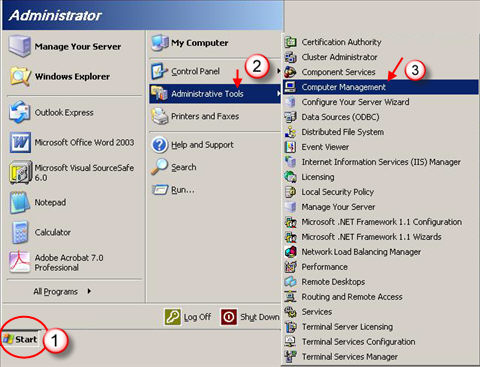
To add an anonymous user go to Start >> Administrative Tools >> Computer Management as shown:
It opens following screen:
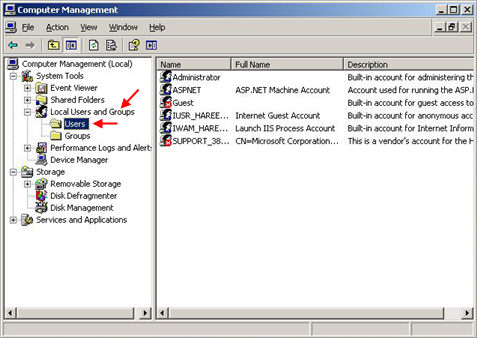
The right pane shows the existing users. Right click to add HCAdministrator as shown:
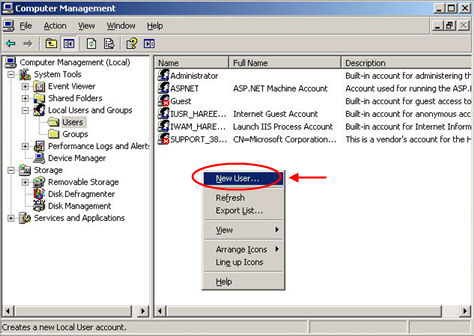
It opens following screen:
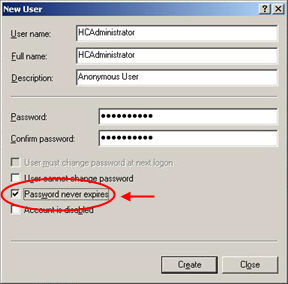
Specify the required information and select Password never expires option. Select "Create" to add the HCAdministrator and updates the list of existing users, accordingly as shown below:
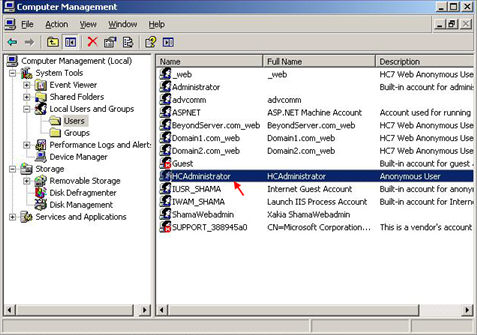
Now assign Administrator group to this user. Double click the created user, it opens following screen:
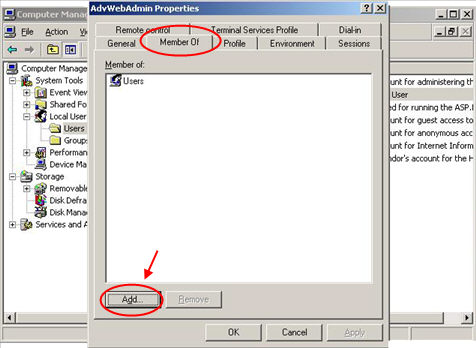
Select Member >> Add. It opens following screen:
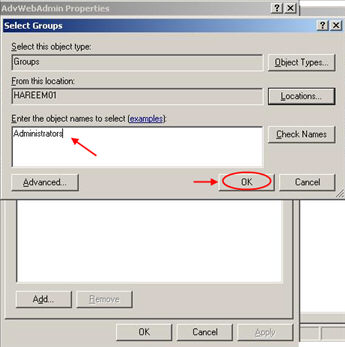
Specify the group name as Administrator and then select OK to continue. It adds the Administrator group and displays it in the list as shown below:
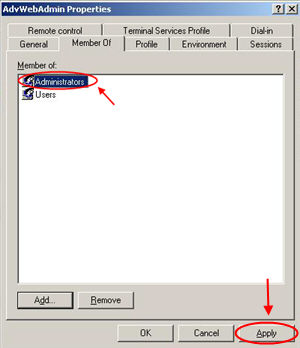
Select "Apply" to assign administrator's rights to HCAdministrator. That's it! you have created the anonymous user as HCAdministrator.
Once it is done then go to Start >> Run >> inetmgr. It opens following screen:
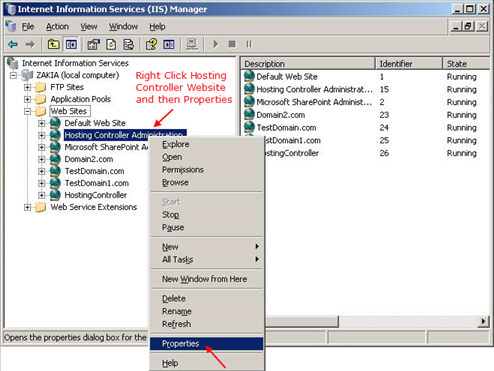
Selecting Properties, opens following screen:
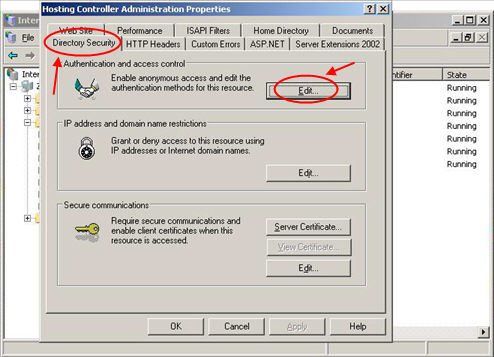
Select Directory Security >> Edit. It opens following screen:
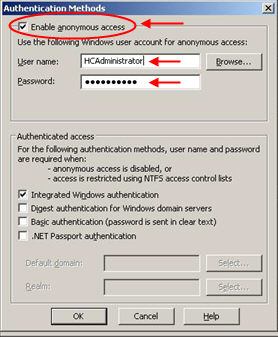
Here set new password for HCAdministrator that you have set while its creation in computer management. Please don't forget to restart IIS after all this.

|
© Hosting Controller 1998-2011. All Rights Reserved |
