Hosting Controller Professional Services
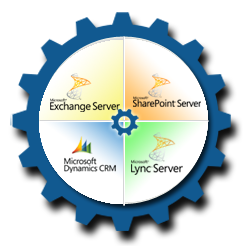
Hosting Controller offers professional services for enterprises and service providers who are engaged in deployments of Exchange and other Microsoft enterprise products either for in-house use or to be offered as hosted services. Deployments could be on-premises or in the Cloud, they could be on private Clouds, hybrid Clouds or public Clouds. They could be fresh installations or upgrades of existing installations. They may also include migrations from legacy systems. These products include:
- Microsoft Exchange
- Microsoft SharePoint
- Microsoft Lync
- Microsoft Dynamics CRM
About Hosting Controller
Hosting Controller has years of experience with Microsoft Enterprise products and has hundreds of service providers using Hosting Controller’s automation technology to offer Microsoft products as hosted services. HC is a validated solution vendor by Microsoft (
https://technet.microsoft.com/en-us/office/dn756468) endorsing that our experience not only spans in commissioning the software, we also understand the nuts and bolts of the technology behind it.
There are two broad categories of engagement:
- Planning and Design
- Installation and Commissioning
Planning & Design
In the ‘Planning & Design’ engagement, Hosting Controller engineers will gather and analyze your requirements, discuss different options, and prepare a ‘Design Document’ for you. The Design Document will incorporate all your requirements and will be prepared according to Microsoft’s latest best practices and will be detailed enough for you to give to any team qualified in such tasks to follow step by step for commissioning of the whole project.
The design document will have the following structure:
Executive Summary
- Microsoft applications
- Project timelines
- Number of copies of each data item
- Usable capacity available to each user
- Site resilience
- Security policies
- Major assumptions and their rationale
- Initial capacity dimensioned
- Total initial hardware requirements
- Scalability points
- Optional services requiring development
- Integration requirements
- Migration requirements
Suggested Hardware
Models and configurations: SuperMicro, DELL, HP, IBM, Cisco etc. with budgetary prices.
Capacity Planning
- Assumptions about user behaviour
- Redundancy Requirements
- Resilience Requirements
- Dimensioning Sheets going from usage statistics to required resources
- Required Hardware Resources BoQ
- Required data center resources for suggested hardware
- Space
- Power
- Cooling
- Bandwidth
- Public IP Addresses
Required Software Licenses BoQ
Dimensioning Sheets with working ‘What-If’ scenarios all based on Microsoft best practices:
- Change in input capacities to see effect on resource usage
- Change in behaviour assumptions to see effect on resource usage
- Decide different scalability options
Deployment Configuration
- Site wise hardware distribution
- Virtual Machines Specifications on each server
- Applications and their roles
- Mapping of application roles on virtual machines
Networking Diagram
A diagram showing the physical connections between servers and between servers and the router. Suggested VLAN configurations and details of which Ethernet ports in each server are connected to which VLAN for:
- Service Delivery and client access plane
- Data Replication among software applications plane
- Management and monitoring plane
The diagram will also show requirements for Public IPs and will show all private IP end-points and how they are connected on different subnets.
Security Diagram
Showing basic firewall configuration mentioning which applications are on public IPs, which ones are in DMZ and which ones are strictly behind firewall and on private IPs.
The section will also show how administrators will get VPN access to access the end points over private IPs.
Redundancy Diagram
A diagram showing redundancy available for each application function:
- Data Redundancy Diagram: Showing how client data is replicated to keep extra copies.
- Database Redundancy Diagram: Showing how the database server is arranged into a cluster.
- Web Server Redundancy Diagram: Showing how multiple web servers are configured.
- Other Applications Redundancy Diagrams: Showing the redundancy available in every other application function and mentioning if it is configured in load sharing or hot-standby modes.
Usage Scenarios
Client Access: Call flows showing typical ways clients will use the services
Load Balancing: Flows showing how the load will be distributed onto multiple application server instances
Provisioning: Call flows showing how different users (Service Providers Administrators, Enterprise Administrators, End Users) will access different types of GUIs to provision resources required.
High Availability Scenarios
Graphical representations of how are the services going to stay continuously available during different failure scenarios.
- Web Server
- Database
- Load Balancers
- DNS Server
- Other Application Servers like CAS Server, Witness Server, and Edge Transport Server etc.
- Client Data e.g. MBX Servers
- Individual Hard Disk
- Server
- Network
- Data Center
Service Monitoring
This section will manage options to monitor different aspects of the complete end to end service delivery. Different tools will be suggested here.
Scalability
Options to scale beyond the initial dimensioned capacity. This section will mention the points where initial hardware resources will get consumed and more hardware needs to be added. The section will mention all scalability points up to the maximum dimensioned capacity.
Level 1 Support Use Cases
This section will mention the basic support use cases for both hardware and software incidences. The section will mention basic SOPs on how to handle each of them.
Migration
An optional section mentioning details of migration. The structure depends on each individual case. Typical migration concerns are:
- Migration of user identity
- Migration of data
There may be coexistence scenarios where two or more deployments need to coexist in an interim phase.
Installation & Commissioning
This engagement starts with a ‘Detailed Design’ document in hand either prepared by Hosting Controller’s Planning and Design team or other third parties. Unless an on-site installation contract is negotiated, all services are provided remotely.
Pre-Requisites
Hardware needs to be installed in the data center with remote access available for the management interface. If an IP based management interface is not available, then base operating system needs to be installed and remote access available.
Installation
Hosting Controller will make its VM Template Library available for all the required Microsoft and third party applications. The VMs will be deployed on Guest OSes as per the Design Document.
Configuration
Configurations will be done to comply all the sections in the Design Document including:
- Network Connectivity
- Redundancy
- Load Balancing
- Security
- High Availability
- Monitoring
Operating Procedures Training
Training will be given to customer’s personnel for basic use cases including:
- Account Provisioning
- Monitoring
- Scalability
- Level 1 Support SOPs
Handing Over / Taking Over
Hosting Controller engineers will demonstrate all working functions and an acceptance test exercise will be performed. Once successful, the temporary passwords will be given to the customer and asked to change all passwords.
Based on customer preferences we can suggest a system with or without using a control panel. If not using a control panel we will design system to use Microsoft product built-in tools.
