Segregated
Provides complete multi-tenancy for hosted Exchange offerings.
Read More

Not just provisioning, our hosted Exchange control panel provides a complete automation and orchestration solution for delivering Exchange services. With its responsive and user-friendly UI, providers and enterprises alike can create and manage their mail domains, mailboxes, distribution lists, public folders and much more in an organized manner. This module comes not only with a comprehensive self-serve portal for all administrative tiers but also for resellers, sub-resellers and clients, allowing them to manage a full suite of services.
Hosting Controller Exchange Module is also unique in delivering software support for diverse platforms. With this module service providers and enterprises can run Exchange SE, 2019 & 2016 simultaneously in the same cluster, based on their customer requirements.
Highlight Features
Manage your Exchange mailboxes.
Manage accepted domains of different types.
Manage shared public folders at the organization level.
Define distribution lists for distributing messages.
Manage external mail contacts and display them in Global Address List (GAL).
Manage resource mailboxes of the type room and equipment.
Hybrid Cloud
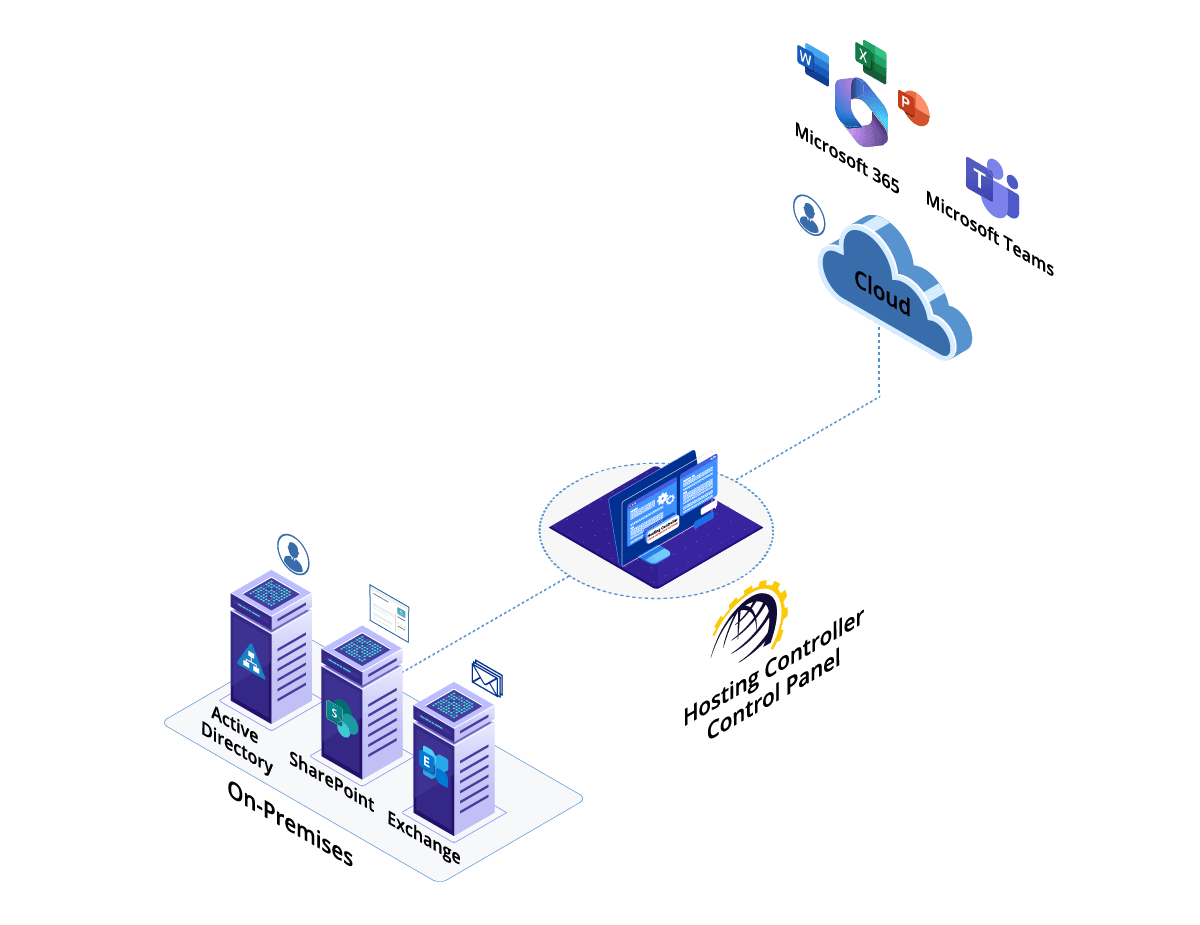
Hosting Controller provides Hybrid Cloud automation between On-premises Exchange and Microsoft 365, so you can keep mailboxes where they make sense and manage coexistence from a single control panel.
Benefits
Built for service providers, enterprises, and government organizations.
Provides complete multi-tenancy for hosted Exchange offerings.
Read MoreA self-service portal for each individual tier.
Read MoreEasy to rebrand, white-labelled offering.
Read MoreUpscale of Exchange resources anytime.
Read MoreExtreme focus on UX and UI.
Read MoreProvision for CAS/MBX high availability and site resilience.
Read MoreScreenshots
How it Works
Hosting Controller allows a most simplified installation flow. The Control Server communicates with the actual Exchange server directly via Remote PowerShell, without any HC installation on the Exchange infrastructure itself, keeping the Exchange environment as secluded as possible.
The Control Server holds the Primary installer and is the backbone of HC10. It is responsible for provisioning, database, system, and task scheduler operations.
Log on as Admin and specify a hypothetical server in the panel, giving it a friendly name. Then specify the IP and Admin credentials for the actual Exchange server.
The Control Server connects to the actual Exchange servers via Remote PowerShell for provisioning, with no HC installation on the Exchange server itself. Hit Check Connectivity to verify the connection and get started.
Watch Video
Exchange Deployments
Hosting Controller offers all the relevant tools to do inward migration of hosted Microsoft Exchange deployments. Choose from a wide range of supported versions.





Configure Hosting Controller with Exchange SE, 2019 and 2016.
Read MoreHow to consolidate a multi-tenant hosted Exchange offering with Hosting Controller.
Read MoreBest practices for Microsoft SPLA reporting for Exchange.
Read More